I’ve spent a few hours now trying to figure out where I download the compiler. What I keep finding is recommendations to download Alire (did I get that right?), or GNATStudio. I’ve seen sourceforge for GNAT, but I don’t trust that I’d be downloading the right one, especially if I want to use my old macbook air i3 from 2020.
I just want to download gnat like I used to, and edit files, and do compilations from the command line. Is that not possible now? Must I go to something like Alire or GNATStudio? Why?
Having said that, I do have an old (like 2004) Dell laptop running FreeBSD on it. Although, I’d like to use that macbook air i3. Is there a simple download for the macbook? I mean, FreeBSD I just use the package manager and get gnat, although I don’t think it’s very recent gnat.
I almost forgot, xcode for mac. There’s a little info at iOS Topics — GNAT User's Guide Supplement for Cross Platforms 24.0w documentation. The command line tools mentioned, those will allow me to just compile from the command line? But, then I’d have to do all those other things to “deliver” the product? I’m just trying to refresh my Ada knowledge, and investigate changes that Ada 2012, and 2022 made.
Alire’s gonna handle setting up all of the paths and stuff for you, but if you’d prefer to do that yourself for some reason, you can get the toolchain tarballs here, under Assets:
the xcode command line tools on their own wont do it, theyre just apples c stuff, you still need a gnat build. once thats on your path gnatmake from the terminal works fine, no studio or alire needed
Seems like there are multiple places to get gnat. JeremyGrosser mentions alire github, then there’s https://sourceforge.net/projects/gnuada/, and I want to say I saw a third place on sourceforge. Is there an official list of versions so that I know what to look for on each of the repositories?
Also, on Alire site, in MacOS section, it says “Alire provides GNAT toolchains hosted on x86-64 for macOS. If those toolchains do not work for you, or if you are on another host architecture like the Apple M1, you have the option to look at the GNAT toolchains from the community.”
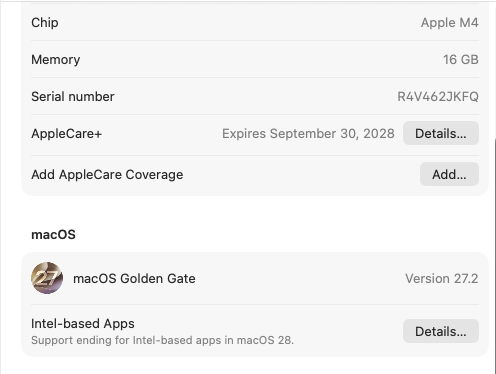
So that’d work for my i3 mac, but does that mean I need to do something special if I want it on my M4 mac mini?
For getting Ada tools for Mac, the main issue is what is your macOS version (and Xcode or CLT associated version).
Then you’ll find an appropriate version either on Alire (for recent versions) or Source Forge (for older versions).
II maintain a table to help with making the right choice.
If you give your macOS and Xcode or CLT versions, I could guide you.
Today the official sources for the latest GNAT compiler are the GCC sources (which includes GNAT FSF).
The GNAT-FSF-builds repo that Jeremy mentioned provides a public build of this GNAT version, including a build for macOS. This build will need the macOS “Command Line Tools” component to be installed as well (it provides the linker and system libraries).
Well, you have lastest macOS / CLT, so, you can use Alire.
Download the last version of alr tool for macOS aarch64.
With Terminal, execute the following instructions:
(xxxx your selected version)
% cd ~/Download
% unzip alr-2.xxxx-macos.zip
% cd alr-2.xxxx-macos/bin
% xattr -r -d com.apple.quarantine alr
% mkdir $HOME/bin # if not already created
% cp -p alr-2.xxxx-macos/bin/alr $HOME/bin
% PATH=$HOME/bin:$PATH
% export MACOSX_DEPLOYMENT_TARGET=26.0 # see [macOS 27 issue](https://github.com/alire-project/GNAT-FSF-builds/issues/113)
Install the GNAT toolchain:
% alr toolchain --select
Follow the instructions and choose gnat_native 16.2.0-pre0 see macOS 27 isssue.
You are ready:
% alr get hello
% cd hello_xxxx
% alr run
You can get GNAT Studio for macOS on Source Forge for the last built version.
It is for old macOS and intel but it should work on yours.