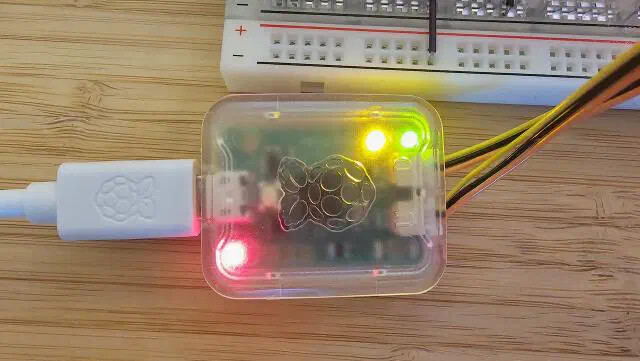
I am currently working on Chapter 8 of my Raspberry Pi Pico Ada tutorial, which demonstrates USB serial communication using the CDC ACM profile. This approach should eliminate the need for an external debug probe or USB-to-RS232 adaptor.
Unfortunately, I am unable to get USB serial working on macOS. Neither my own implementation nor Jeremy Grosser’s well-known usb_echo example produces a visible serial device:
No /dev/tty.* device appears
system_profiler SPUSBDataType shows no new USB device from the Pico
The code builds and flashes without error, and the Pico appears to be running. The issue seems specific to macOS USB enumeration.
Has anyone successfully used USB CDC serial with Ada (or even C/C++) on a Pico under macOS? Any known macOS-specific configuration, driver, or picotool / uf2 flashing quirks I should be aware of?
Single. Only USB_Serial. As does Jeremy’s example. However his examples are sometimes out of date. In the WS2812 sample code the RP.PIO.Enable call is missing. It is quite possible that a call in missing here as well.
I added Poll in a separate task on CPU 2 and everything runs but the USB device still doesn’t appear in the system_profiler SPUSBDataType list. Not sure if wireshark helps if the device isn’t even seen by the OS.
That USB_Stack.Poll; never works makes me wonder about @JeremyGrosser example. How is that supposed to work.
There is also a usb_echo_interrupt example. Maybe I try that one next
Thank you very much for your suggestions — they have already helped significantly.
Progress update: macOS now correctly detects the Pico. Both the Debug Probe and my Ada application appear in system_profiler SPUSBDataType:
>Debug-Search-Devices.command
Debug Probe (CMSIS-DAP):

            Debug Probe (CMSIS-DAP):

              Product ID: 0x000c
              Vendor ID: 0x2e8a
              Version: 2.30
              Serial Number: E664A836A3096D37
              Speed: Up to 12 Mb/s
              Manufacturer: Raspberry Pi
              Location ID: 0x14420000 / 34
              Current Available (mA): 500
              Current Required (mA): 100
              Extra Operating Current (mA): 0

Ada Device:

            Sketch_08_1_Serial_Print (Ada):

              Product ID: 0x000c
              Vendor ID: 0x2e8a
              Version: 1.21
              Serial Number: 4F72A1C3D9B8E7F1
              Speed: Up to 12 Mb/s
              Manufacturer: Raspberry Pi Pico
              Location ID: 0x14410000 / 10
              Current Available (mA): 500
              Current Required (mA): 100
              Extra Operating Current (mA): 0
I have also moved USB_Stack.Poll into a proper interrupt handler as recommended.
CoolTerm can now connect to the virtual serial port, but unfortunately no data is being received from the Pico. The program builds and runs without error but nothing appears in in CoolTerm.
The repository has been updated with the latest version.
Has anyone experienced a similar issue where the CDC device enumerates correctly and a terminal can connect, but no data is transferred? Any suggestions on what to check next (buffer handling, interrupt priorities, TinyUSB configuration, etc.) would be greatly appreciated.
The pico example used to work. I think I remember check the last usb_embedded version with them.
Wireshark can be a good resource, but you have to get familiar with the USB protocol to understand what’s going on.
These are settings that you receive from the USB host and you should apply to the hardware UART when in a USB to serial adaptor situation. Here you are not mapping to a hardware UART so there settings have no meaning.
I checked the source code and had a closer look at Len and decided that it would be a good idea to check the returned Len. And indeed that showed some interesting behaviour:
+ Sketch_08_1_Serial_Print.Main
> Initialising Main
+ USB_Task
> Coding.Bitrate   =>  115200
> Coding.Data_Bits =>  8
> Coding.Stop_Bit  =>  0
> Coding.Parity    =>  0
- USB_Task
> Data written     =>  43
> Starting main loop
> Writing to USB Serial
> Data written     =>  11
> Writing to USB Serial
> Data written     =>  11
> Writing to USB Serial
> Data written     =>  11
> Writing to USB Serial
> Data written     =>  11
> Writing to USB Serial
> Data written     =>  0
> Writing to USB Serial
> Data written     =>  0
> Writing to USB Serial
> Data written     =>  0
> Writing to USB Serial
> Data written     =>  0
> Writing to USB Serial
> Data written     =>  0
That looks like the output buffer is just filled up and never send. I’ll take it that wireshark won’t help here.
Once just once it worked and data output was shown in CoolTerm but I was never able to repeat it.
Last not least I noted that there is some kind of logging in usb_embedded but I don’t understand how that is supposed to work as the data is just written list which can’t be accessed.
If the data was accessible I could write them UART_IO.
Ada.Text_IO on all my runtimes use semihosting, which requires an attached debugger to be able to read their output (see the runtime documentation here).
Unfortunately, on Armv6-M targets like the RP2040, if you try to use semihosting without a debugger attached then semihosting calls will trigger a HardFault. This doesn’t happen on other architectures like Armv7-M, since they allow the CPU to be configured to ignore semihosting calls if no debugger is attached.
I’d like to make Ada.Text_IO configurable to implement some other choices, but I haven’t gotten around to that yet.
Before you do any I/O on USB_Serial (also for write!) you need to check USB_Serial.List_Ctrl_State.DTE_Is_Present. Otherwise the buffer will fill up since the host does not fetch the data and Poll eventually does not return.