My GitHub repository has two branches, Main and a development one.
The latter tells me it’s so-and-so-many commits ahead of main.
So in order to update, I’m going to create pull request, right?
The page tells me: base: main <-- compare: improved Able to merge. These branches can be automatically merged.
Hm, what does that mean? There is no button to do so…
The page further gives me two lists, either the list of commits or the list of files changed.
So I press the button Create pull request.
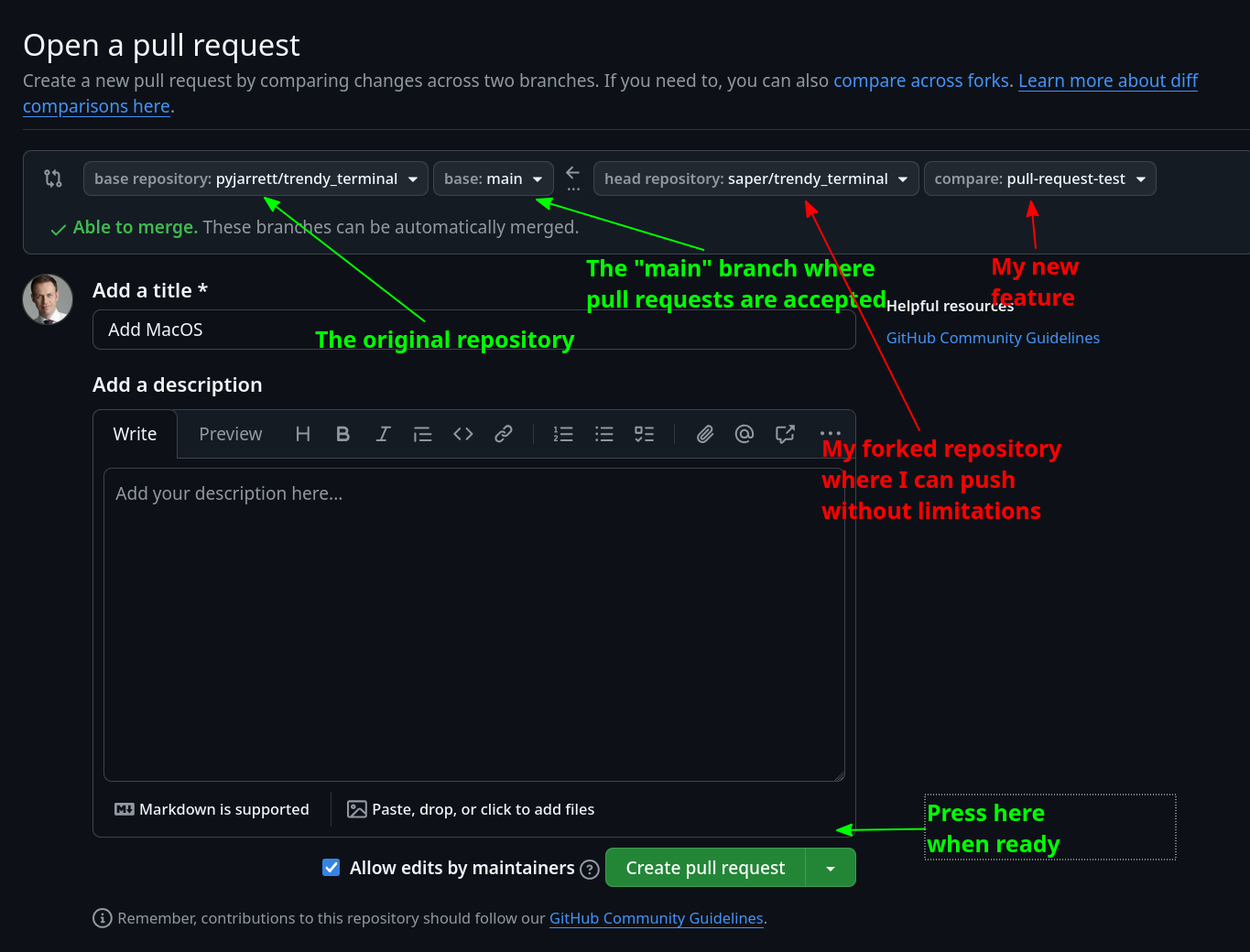
A new page Open a pull request appears.
After adding a short description, I press Create pull request: the button opens with two choices, the first one ticked Create pull request.
I press it - nothing happens.
the original base repository (where we usually can’t write and we fork from)
base branch of the original repo can be “main”, “master” or rarely something else
head repository usually our own fork where we have write rights
compare our feature branch
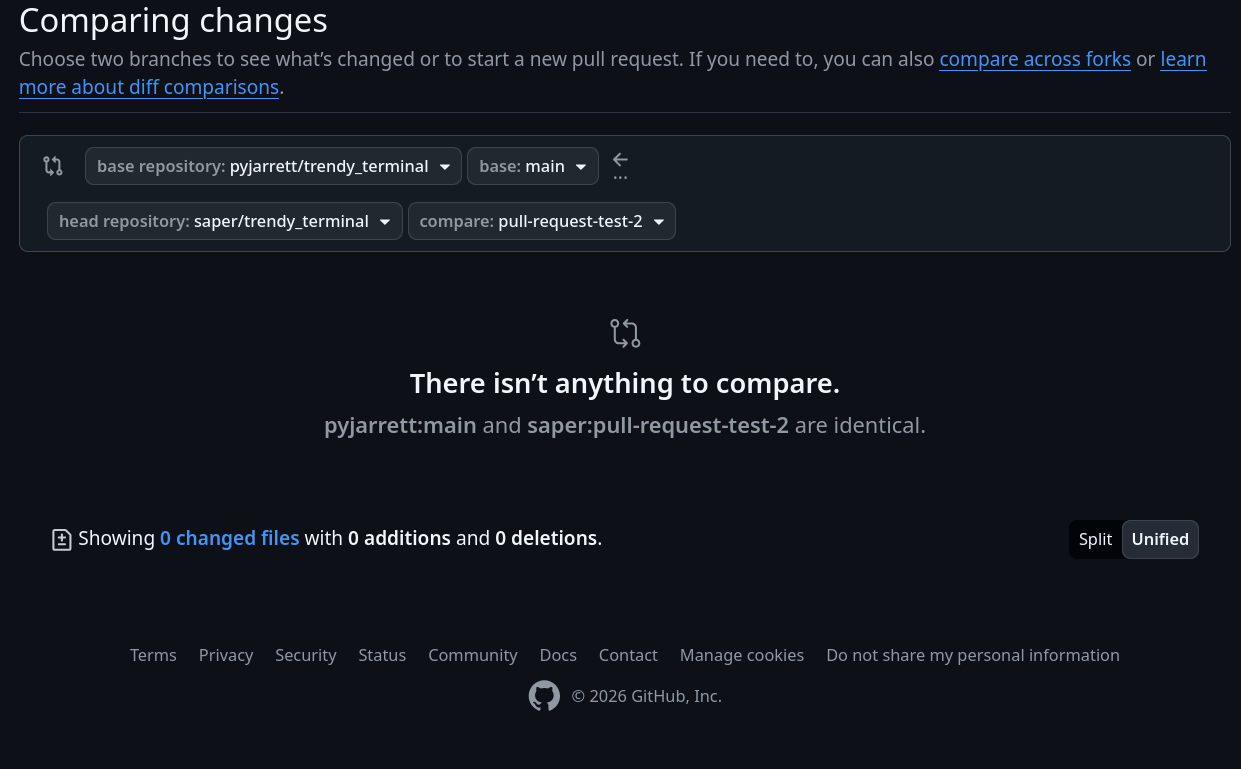
Usually something goes wrong a step before - we can’t create the pull request for example because the changes we wanted have not been pushed yet. The branch might have been
created, but it does not contain any new commits, but in that case there is button at all:
Same here, git make me feel old.
It’s powerfull and perfect for average to large projects, and well too complex for simple repos with few branches and a couple of pull request.
That is 99,9% of github.
I have the nostalgy of Darcs (simple concepts and crystal clear command line…), and still believe there is plenty of room for a simpler alternative to git.
The same can be said for Ada - it’s a very powerful language, some things are not easy to grok. But her Pascal base is easy. And contrary to may languages, there is a free RM (neither an easy read at parts).
I once was sent to a C++ course. I asked the instructor about a reference manual. He looked perplex as if to say “What the f* should this be good for?”
You slowly grow into it the longer you use our beloved language.
For complex repos and large projects it is actually even worse. Developers spend a sizeable time doing administrative things with git that they didn’t need to do with better, simpler tools.
git is too complex at any scale, it is plain overengineered…
I don’t think the system it’s built on is overengineered, it just has absolutely zero thought put in to UX. Even a light wrapper around git such as magit turns it in to something much more usable.
or just zero thought. Git was not “designed.” Like Linux before, it borrowed some random ideas from existing products, many of which turned wrong.
Git is not a project management system. Developers do not care about individual files, they do about projects. The database behind it is of no interest.